The Company Brain: your sources in one record, each file's figures linked to it
The Company Brain is the record underneath DataBridge. It reads your sources, links the same customer, supplier, project or person across them, and keeps every version with its source.
It starts with a demo on a sample of your own documents and data.
Customer records: kept in the CRM.
Email threads: kept in a shared mailbox.
Contracts: kept as signed PDFs.
Ledgers: kept in the accounting system.
Invoices: kept as PDF and email.
Spreadsheets: kept on a shared drive.
Project docs: kept in the team wiki.
Support tickets: kept in the helpdesk.
Delivery logs: kept in the operations database.
Meeting notes: kept in shared folders.
Handover notes: kept in personal folders.
Policies: kept on the intranet.
What it reads
Databases, documents, spreadsheets, email and the systems your teams already use. Each source connects once, and your systems carry on as they are.
Twelve kinds of record, and where each is kept today
- Customer records: kept in the CRM.
- Email threads: kept in a shared mailbox.
- Contracts: kept as signed PDFs.
- Ledgers: kept in the accounting system.
- Invoices: kept as PDF and email.
- Spreadsheets: kept on a shared drive.
- Project docs: kept in the team wiki.
- Support tickets: kept in the helpdesk.
- Delivery logs: kept in the operations database.
- Meeting notes: kept in shared folders.
- Handover notes: kept in personal folders.
- Policies: kept on the intranet.
One customer, supplier, project or person across every source
When the same customer appears in a contract, a ledger and an inbox, DataBridge recognises it and links the three into one record.
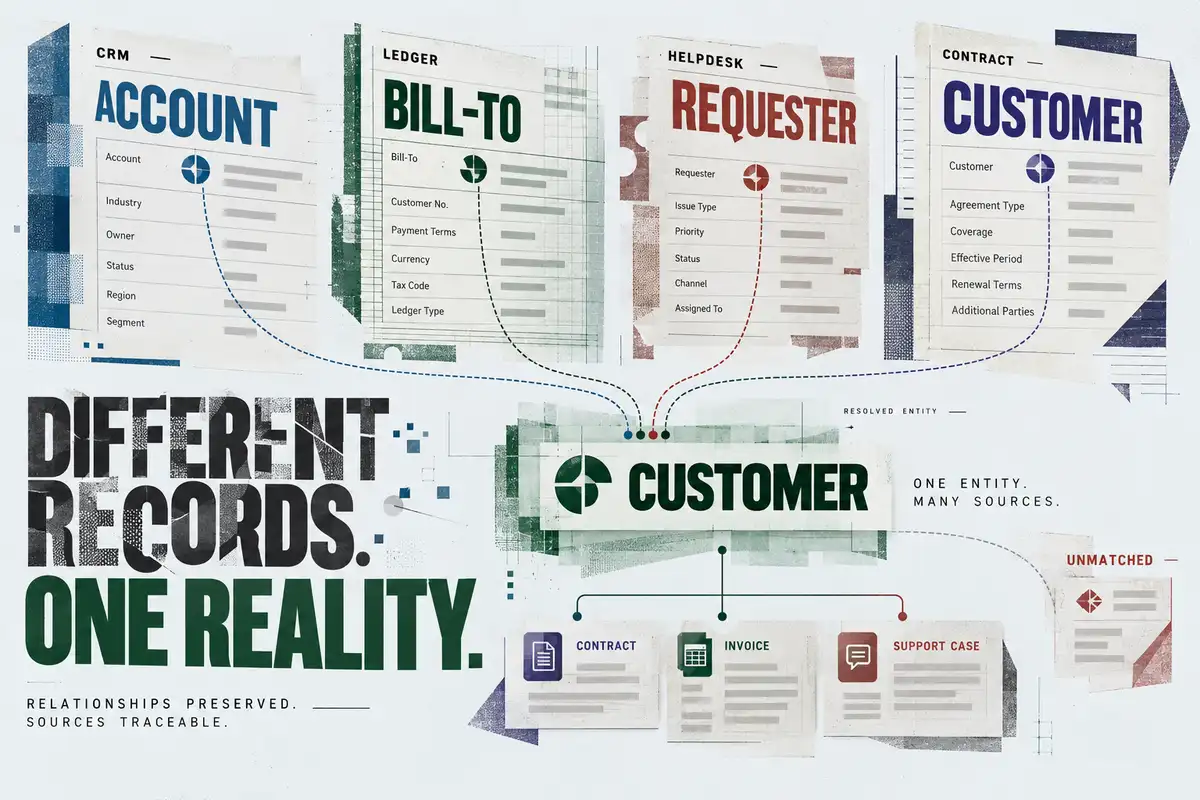
The same customer appears in four sources under four names: Account in the CRM, Bill-To in the ledger, Requester in the helpdesk and Customer in the contract. Lines from all four meet in one resolved customer, labelled one entity, many sources, which links to a contract, an invoice and a support case. One record to the side is flagged as unmatched. The foot of the poster reads: relationships preserved, sources traceable.
The shape each job needs
The same record gives answers, reports, tables and data for AI tools, so a new project starts from data already connected.
Each figure read from a file points to its source
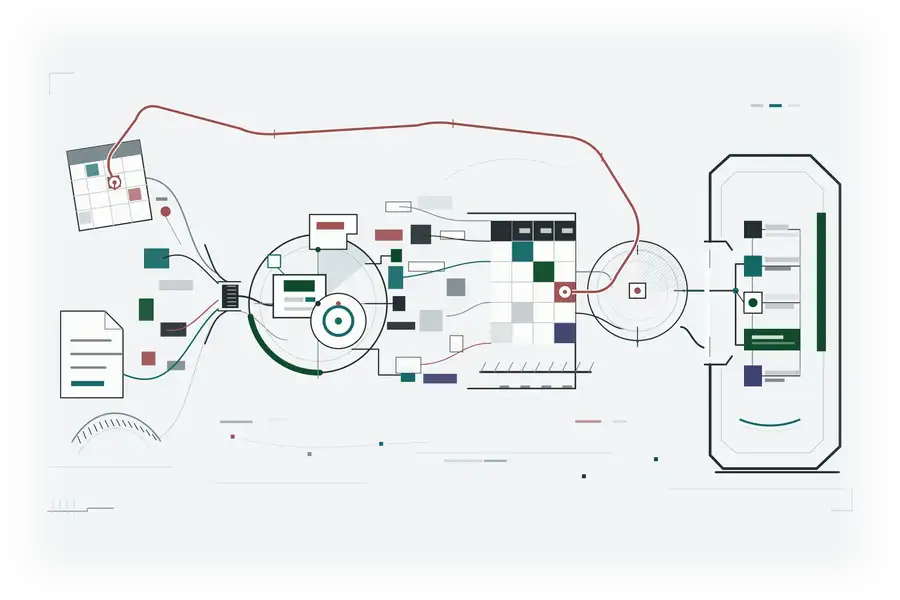
Each figure read from a file keeps the cell, line or page it came from and shows whether it has been checked. Your original files are never changed, so you can open the file beside the figure.
Inside the Company Brain
-
Full history
When each fact was true and when it was recorded, so any past answer can be shown again exactly as it was given.
-
Business vocabulary
One agreed meaning for customer, order, contract and project, used by every team.
-
Relationship map
How records connect, contract to customer, invoice to order, account to owner.
-
Source snapshots
A copy that cannot be changed of what each source said when it was read, so figures can always be checked.
-
Change tracking
When a source value changes, every answer built on it is flagged.
Each of these has a short definition in the glossary.
Corrections add a new version
A correction adds a new version and keeps the old one. You can read what the record said on any past date.
The technical detail is in the Technical overview.
Decisions and context stay
Decisions, corrections and the context behind them are kept in the record with their evidence, so they stay when the person who made them moves on.
It starts with a demo on a sample of your own documents and data.